nirmalakumarsahu
Spring Boot Security Securing REST API with Database Authentication
| 📄 Articles | 👤 My Profile |




📑 Index
- 📋 Prerequisites
- 🔐 What is Spring Boot Security using Database in REST API?
- 🚀 Implementation
- 🎥 Video Reference
📋 Prerequisites
🔹 Understand Spring Security basic concepts 👉 Read here
🔝 Back to Top
🔐 What is Spring Boot Security using Database in REST API?
It means you are securing your Spring Boot REST API by storing and validating user credentials (username, password, roles, permissions, etc.) in a database (like MySQL, PostgreSQL, etc.) instead of keeping them hardcoded or in memory.
So when a user tries to log in, Spring Security will:
- Take the username & password from the login request (e.g.,
/loginor/authenticate). - Look up the user details from the database (via
UserDetailsServiceand JPA/Hibernate). - Verify the password (usually encrypted with BCrypt).
- Assign the correct roles/authorities from the DB.
- Generate a session (stateful) or token (stateless, e.g., JWT).
- Authorize or reject the API request.
🚀 Implementation
🏗️ Technology Stack
🖥️ Backend
- ☕ Java 21 → Core programming language
- 🌱 Spring Boot 3.5.4 → Main application framework
- 🗄️ Spring Data JPA → ORM for database persistence
- 🔐 Spring Security → Authentication & Authorization (role-based access)
- 🌐 Spring Web (Spring MVC) → RESTful APIs
📖 API Documentation
- 📘 Springdoc OpenAPI 2.8.9 → Generates OpenAPI/Swagger docs for REST APIs
- 🖥️ Swagger UI → Interactive API testing & documentation
🛢️ Database
- 🐬 MySQL → Relational database
- 🔗 MySQL Connector/J → JDBC driver for MySQL
🏗️ Build & Dependency Management
- 📦 Maven 4.0.0 → Build automation & dependency management
- 🚀 Spring Boot Maven Plugin → Runs & packages the application
- 🛠️ Maven Compiler Plugin → Annotation processing (e.g., for Lombok)
⚙️ Utilities
- ✨ Lombok → Reduces boilerplate code (
@Getter,@Setter,@Builder, etc.) - 📜 application.yml → Centralized configuration for DB, JPA, Security, etc.
📂 Project Structure
spring-boot-security-using-database-in-rest-api
│── 📂 src/
│   └── 📂 main/
│       ├── 📂 java/
│       │   └── 📂 com/sahu/springboot/security/
│       │       ├── 📂 config/
│       │       │   ├── 📄 CustomAuthenticationEntryPoint.java
│       │       │   ├── 📄 OpenApiConfig.java
│       │       │   ├── 📄 OpenApiProperties.java
│       │       │   └── 📄 SecurityConfig.java
│       │       │
│       │       ├── 📂 constant/
│       │       │   ├── 📄 ApiStatus.java
│       │       │   └── 📄 AuthConstants.java
│       │       │
│       │       ├── 📂 controller/
│       │       │   └── 📂 rest/
│       │       │       ├── 📄 AuthRestController.java
│       │       │       └── 📄 DashboardRestController.java
│       │       │
│       │       ├── 📂 dto/
│       │       │   ├── 📄 ApiResponse.java
│       │       │   ├── 📄 LoginRequest.java
│       │       │   ├── 📄 LoginResponse.java
│       │       │   ├── 📄 UserRequest.java
│       │       │   └── 📄 UserResponse.java
│       │       │
│       │       ├── 📂 model/
│       │       │   ├── 📄 Role.java
│       │       │   └── 📄 User.java
│       │       │
│       │       ├── 📂 repository/
│       │       │   ├── 📄 RoleRepository.java
│       │       │   └── 📄 UserRepository.java
│       │       │
│       │       ├── 📂 security/
│       │       │   ├── 📂 dto/
│       │       │   │   └── 📄 CustomUserDetails.java
│       │       │   │
│       │       │   └── 📂 util/
│       │       │       └── 📄 SecurityUtil.java
│       │       │
│       │       ├── 📂 service/
│       │       │   ├── 📂 impl/
│       │       │   │   ├── 📄 CustomUserDetailsService.java
│       │       │   │   └── 📄 UserServiceImpl.java
│       │       │   │
│       │       │   └── 📄 UserService.java
│       │       │
│       │       └── 📄 SpringBootSecurityUsingDatabaseInRestApiApplication.java
│       │
│       └── 📂 resources/
│           └── 📄 application.yml
│
├── 📄 docker-compose.yml
└── 📄 pom.xml
🔗 Code Repository
You can find the complete code repository for this project on GitHub:

🚀 To Run the Spring Boot Application
1️⃣ 🐳 Using Docker Compose (for MySQL container)
docker-compose up -d
✅ This starts MySQL in a container (-d = detached mode).
🔍 Verify with:
docker ps
📌 DB is now available at localhost:3307.
🔑 Credentials (username, password, DB name) are in docker-compose.yml.
2️⃣ 💻 Run Directly in IntelliJ IDEA
- 📂 Open the Spring Boot project in IntelliJ.
- ▶️ In Project Explorer, right-click the main class:
SpringBootSecurityUsingDatabaseInRestApiApplication.java - Select Run ‘SpringBootSecurityUsingDatabaseInRestApiApplication’.
- 🐞 For debugging, click the Debug button instead of Run.
- 🌐 App will start on http://localhost:9897.
3️⃣ ⚡ Run with Maven Command (CLI)
-
▶️ Run app:
mvn spring-boot:run -
🐞 Run app with debug mode:
mvn spring-boot:run -Dspring-boot.run.fork=false -Dmaven.surefire.debug -
📦 Build JAR and run:
mvn clean package -DskipTests
java -jar target/spring-boot-security-using-database-in-rest-api-0.0.1-SNAPSHOT.jar
🔝 Back to Top
🎥 Video Reference
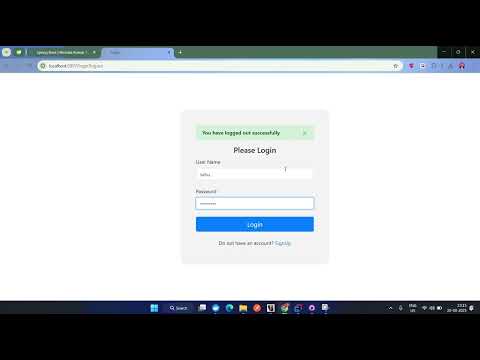
For a detailed running and demonstration of the application walkthrough,
watch the following YouTube video: